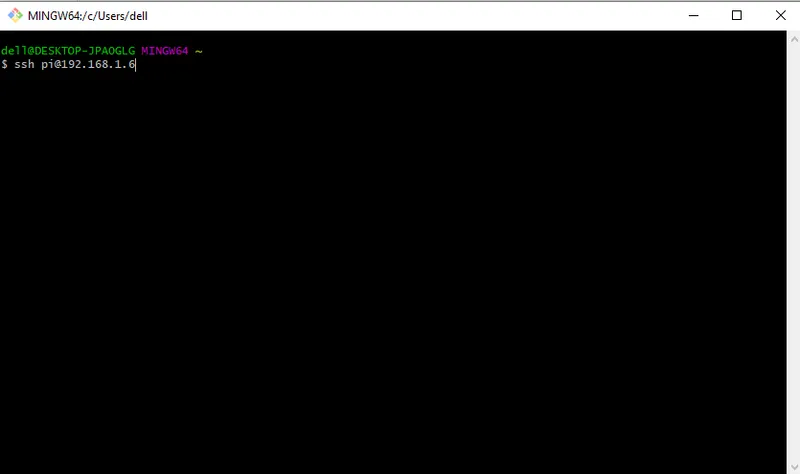
Create a Python file called tracker.py and add the following code to it.
sudo nano tracker.pycode:-
#ASAR Program
#This program tracks a red ball and instructs a raspberry pi to follow it.
import sys
sys.path.append('/usr/local/lib/python2.7/site-packages')
import cv2
import numpy as np
import os
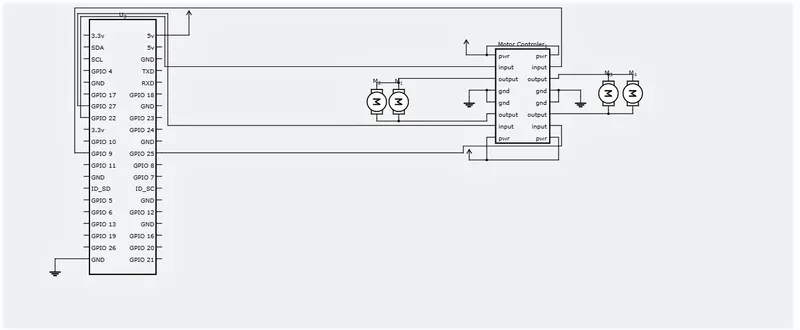
import RPi.GPIO as IO
IO.setmode(IO.BOARD)
IO.setup(7,IO.OUT)
IO.setup(15,IO.OUT)
IO.setup(13,IO.OUT)
IO.setup(21,IO.OUT)
IO.setup(22,IO.OUT)
def fwd():
IO.output(21,1)#Left Motor Forward
IO.output(22,0)
IO.output(13,1)#Right Motor Forward
IO.output(15,0)
def bac():
IO.output(21,0)#Left Motor backward
IO.output(22,1)
IO.output(13,0)#Right Motor backward
IO.output(15,1)
def ryt():
IO.output(21,0)#Left Motor backward
IO.output(22,1)
IO.output(13,1)#Right Motor forward
IO.output(15,0)
def lft():
IO.output(21,1)#Left Motor forward
IO.output(22,0)
IO.output(13,0)#Right Motor backward
IO.output(15,1)
def stp():
IO.output(21,0)#Left Motor stop
IO.output(22,0)
IO.output(13,0)#Right Motor stop
IO.output(15,0)
###################################################################################################
def main():
capWebcam = cv2.VideoCapture(0) # declare a VideoCapture object and associate to webcam, 0 => use 1st webcam
# show original resolution
print "default resolution = " + str(capWebcam.get(cv2.CAP_PROP_FRAME_WIDTH)) + "x" + str(capWebcam.get(cv2.CAP_PROP_FRAME_HEIGHT))
capWebcam.set(cv2.CAP_PROP_FRAME_WIDTH, 320.0) # change resolution to 320x240 for faster processing
capWebcam.set(cv2.CAP_PROP_FRAME_HEIGHT, 240.0)
# show updated resolution
print "updated resolution = " + str(capWebcam.get(cv2.CAP_PROP_FRAME_WIDTH)) + "x" + str(capWebcam.get(cv2.CAP_PROP_FRAME_HEIGHT))
if capWebcam.isOpened() == False: # check if VideoCapture object was associated to webcam successfully
print "error: capWebcam not accessed successfully\n\n" # if not, print error message to std out
os.system("pause") # pause until user presses a key so user can see error message
return # and exit function (which exits program)
# end if
while cv2.waitKey(1) != 27 and capWebcam.isOpened(): # until the Esc key is pressed or webcam connection is lost
blnFrameReadSuccessfully, imgOriginal = capWebcam.read() # read next frame
if not blnFrameReadSuccessfully or imgOriginal is None: # if frame was not read successfully
print "error: frame not read from webcam\n" # print error message to std out
os.system("pause") # pause until user presses a key so user can see error message
break # exit while loop (which exits program)
# end if
imgHSV = cv2.cvtColor(imgOriginal, cv2.COLOR_BGR2HSV)
imgThreshLow = cv2.inRange(imgHSV, np.array([0, 135, 135]), np.array([18, 255, 255]))
imgThreshHigh = cv2.inRange(imgHSV, np.array([165, 135, 135]), np.array([179, 255, 255]))
imgThresh = cv2.add(imgThreshLow, imgThreshHigh)
imgThresh = cv2.GaussianBlur(imgThresh, (3, 3), 2)
imgThresh = cv2.dilate(imgThresh, np.ones((5,5),np.uint8))
imgThresh = cv2.erode(imgThresh, np.ones((5,5),np.uint8))
intRows, intColumns = imgThresh.shape
circles = cv2.HoughCircles(imgThresh, cv2.HOUGH_GRADIENT, 5, intRows / 4) # fill variable circles with all circles in the processed image
if circles is not None: # this line is necessary to keep program from crashing on next line if no circles were found
IO.output(7,1)
for circle in circles[0]: # for each circle
x, y, radius = circle # break out x, y, and radius
print "ball position x = " + str(x) + ", y = " + str(y) + ", radius = " + str(radius) # print ball position and radius
obRadius = int(radius)
xAxis = int(x)
if obRadius>0 & obRadius<50:
print("Object detected")
if xAxis>100&xAxis<180:
print("Object Centered")
fwd()
elif xAxis>180:
print("Moving Right")
ryt()
elif xAxis<100:
print("Moving Left")
lft()
else:
stp()
else:
stp()
cv2.circle(imgOriginal, (x, y), 3, (0, 255, 0), -1) # draw small green circle at center of detected object
cv2.circle(imgOriginal, (x, y), radius, (0, 0, 255), 3) # draw red circle around the detected object
# end for
# end if
else:
IO.output(7,0)
cv2.namedWindow("imgOriginal", cv2.WINDOW_AUTOSIZE) # create windows, use WINDOW_AUTOSIZE for a fixed window size
cv2.namedWindow("imgThresh", cv2.WINDOW_AUTOSIZE) # or use WINDOW_NORMAL to allow window resizing
cv2.imshow("imgOriginal", imgOriginal) # show windows
cv2.imshow("imgThresh", imgThresh)
# end while
cv2.destroyAllWindows() # remove windows from memory
return
###################################################################################################
if __name__ == "__main__":
main()
Now, all that is left to do is run the program
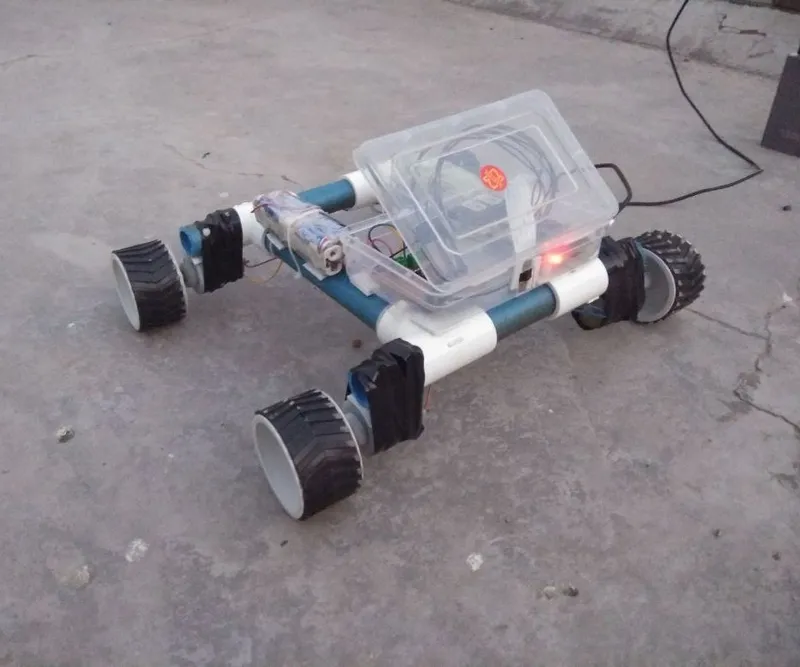
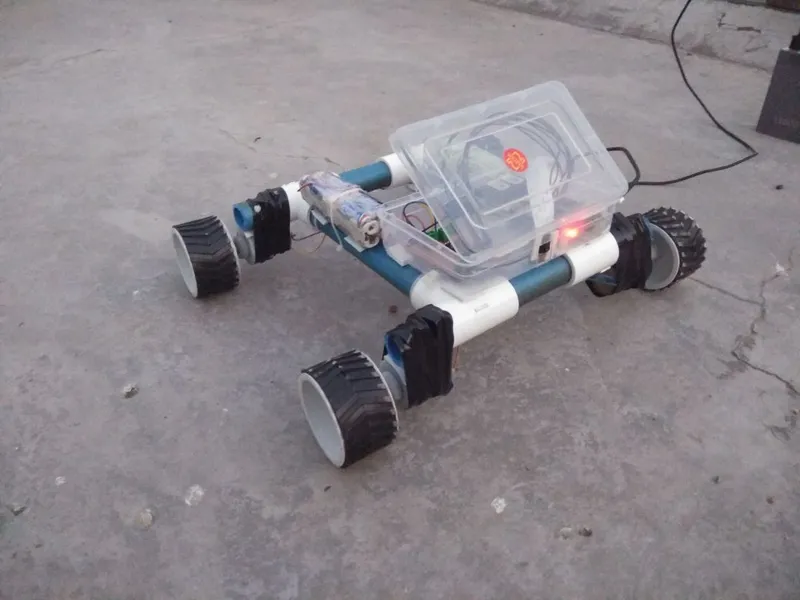
python tracker.pyCongrats! your self-driving rover is ready! The Ultrasonic sensor based navigation part will be completed soon and I will update this instructable.
Thanks for reading!