intermediateSmart Home & IoT11-Aug-2016
How to unlock American TV channels on Amazon Fire TV while in Russia

Anton Shagaev
Tashkent, UZ
1 day
10
7
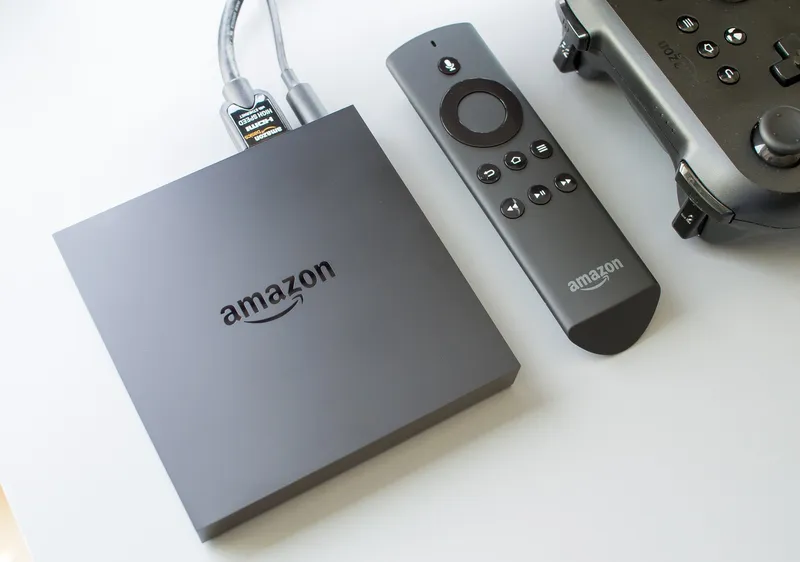
Recently I purchased a TV set-top boxAmazon Fire TVfor watching streaming video and TV programs directly from the USA, but later I discovered that most channels don't work here in Russia. Currently, I have four TV set-top boxes at home: Amazon Fire TV, Roku 3, Amazon Fire TV Stick, and MX2 from Matricom, but I primarily use only Amazon Fire TV and Roku. I believe these TV set-top boxes are the best in their class and work very quickly without delays.
The problem turned out to be that American TV channels such as Hulu, Crackle, Amazon Instant Video are not available in Russia due to restrictions set by Amazon's IT engineers. To unlock and gain access to these TV channels, you need to configure your TV set-top box using smart-DNS. The smart-DNS service hides your true location from streaming devices such as Amazon Fire TV. Thus, you can watch TV channels blocked depending on your geographical location.
Steps
1
Registration on Tunlr
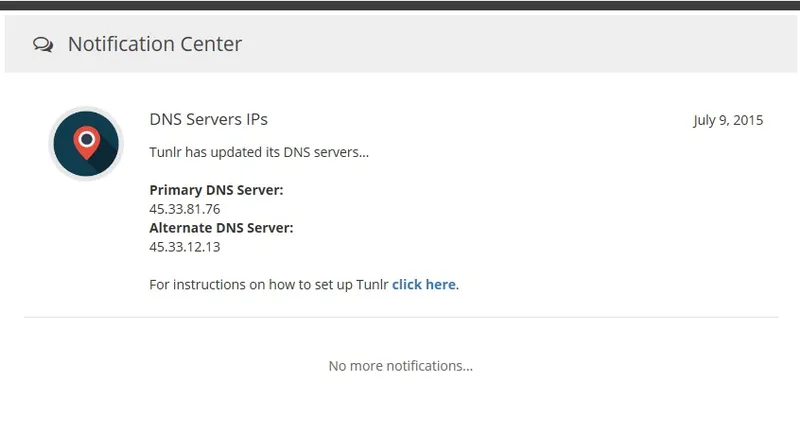
To use my method for unlocking TV channels on Amazon Fire TV, you need to register on the service Tunlr.com. The service is paid, but it's very cheap, about 650 rubles per year. Registration is quite simple, and after that, you will be assigned IP addresses for the primary and secondary DNS servers, which you will need to enter in the DNS settings of your TV set-top box.
2
Setting up DNS servers on the TV set-top box
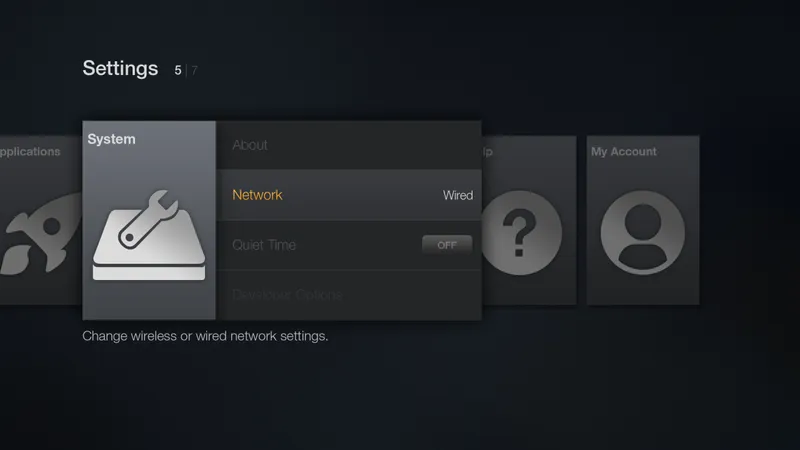
Turn on your Amazon Fire TV and go to Settings -> System -> Network. Select your network, whether wired or wireless, and choose Configure. Leave all network settings as they are except for DNS 1 and DNS 2, the values for which you received from Tunlr.
3
Settings in your Amazon.com account
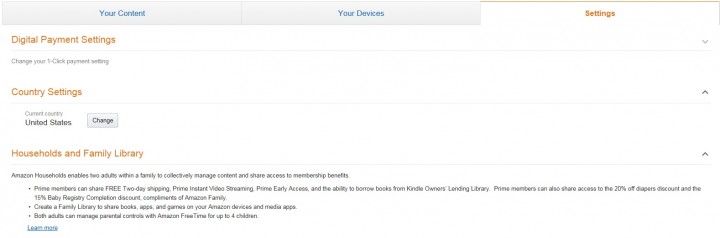
Log in to your account on Amazon.com and go to Your Account -> Digital Content -> Manage Your Content and Devices ->Settings and change the country to United States. Also, make sure you have a U.S. address listed (it doesn't necessarily have to belong to you, you can enter absolutely any address) in the Your Account -> Settings -> section Manage Address Book.
4
Reboot
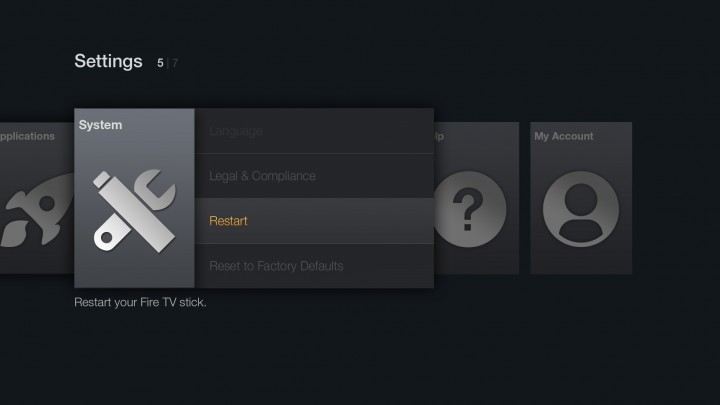
Reboot the TV set-top box by going to System -> Settings -> Restart and enjoy watching unlocked channels on Amazon Fire TV!
Conclusion
I hope you enjoyed my short guide and that you also manage to unlock TV channels on Amazon Fire TV, just like I did.
Discussion (0)
No comments yet. Be the first!
Maker
Anton Shagaev
Tashkent, UZ
Anton is the Founding Engineer at Tinkster. He translates industrial reliability into software architecture, ensuring the platform's core is built to last. Anton studied oil and gas engineering in the United States and also holds two honors degrees from Tomsk Polytechnic University.
Related Projects
AI Project Assistant
Tinkster Neural Core
Hi! I am the AI assistant for this project. Ask me any questions about the assembly, code, or components.