SOLID MODELSmart Home & IoT26-Sept-2026
Wall Enclosure for Waveshare ESP32-S3-Touch-LCD-7 (7" Touch Display) – Easy USB-C & BOOT/RESET Access
rossosat
2 Files
stl, 3mf Formats
Description
Slim wall-mount enclosure for the Waveshare ESP32-S3-Touch-LCD-7 (7" 800×480 touch display). I use it as a Home Assistant control panel in my garage, but it works for any wall dashboard project.
This version is designed for development and beta testing: you can reach the USB-C ports and the BOOT/RESET buttons without taking the display out of the case.
Features
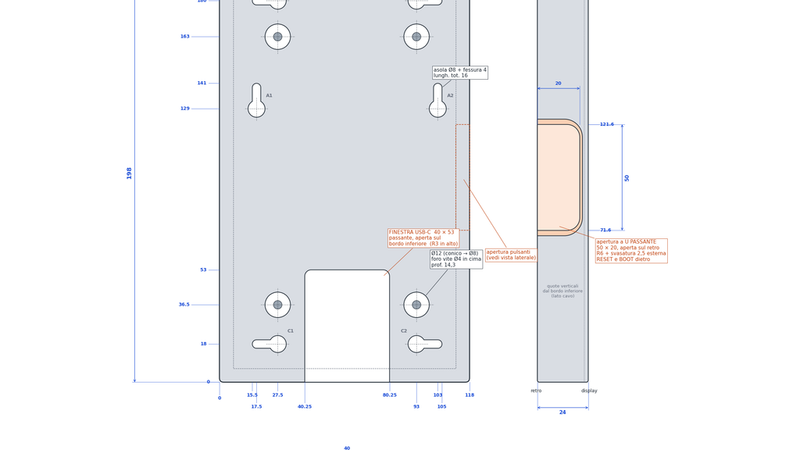
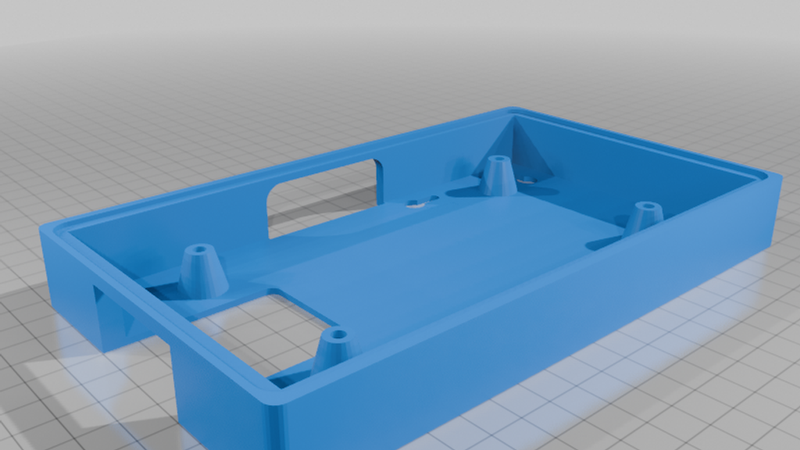
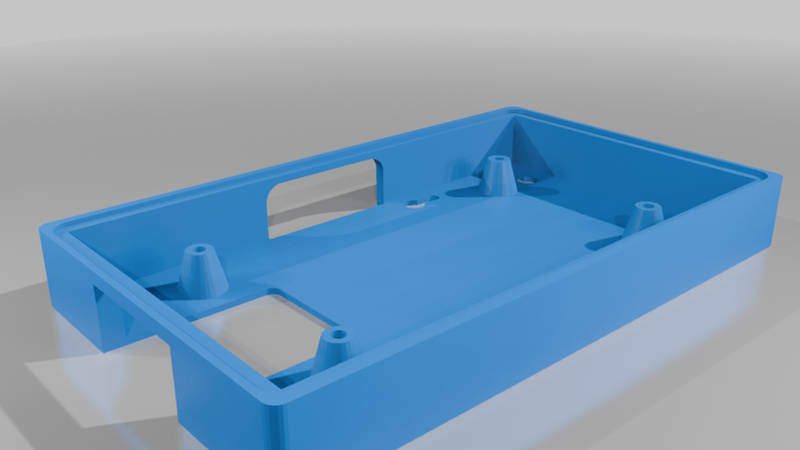
- Large USB-C opening (40 mm): a rear window over both USB-C ports (USB and UART), open through the bottom edge. Bulky or right-angle plugs fit, and the cable exits cleanly downward.
- Finger access to BOOT and RESET: a wide U-shaped opening on the side (50 × 20 mm, flared). You can press both buttons with your fingers, even one after the other to enter flashing mode.
- 6 keyhole slots for vertical wall mounting, plus a flat back so it sits flush against the wall.
- 4 tapered posts matching the display's mounting holes. No extra standoffs needed.
- Recessed front lip that holds the glass panel flush.
Specs
- Outer size: 198 × 118 × 24 mm
- Wall thickness: 6.5 mm, back: 2 mm
Printing
- Print with the back face on the bed.
- No supports needed. The openings only need short bridges.
- PLA or PETG, 0.2 mm layers, 3–4 walls.
Assembly
1. Screw 2 screws into the wall using the keyhole positions (a dimensioned drawing of the back is included).
2. Place the display in the enclosure and fix it to the 4 posts.
3. Plug in the USB-C cable through the rear window, then hang the enclosure on the screws.