Simple phone docking holder for any phone with any case and any round charging pad, using the OpenSCAD customizer
Description
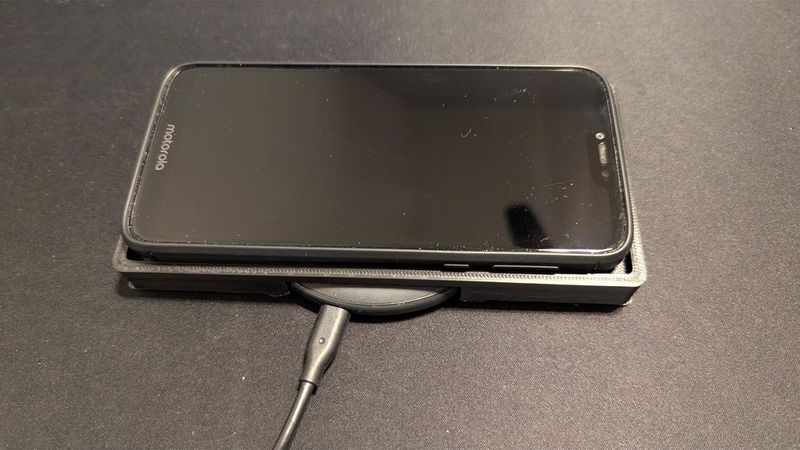
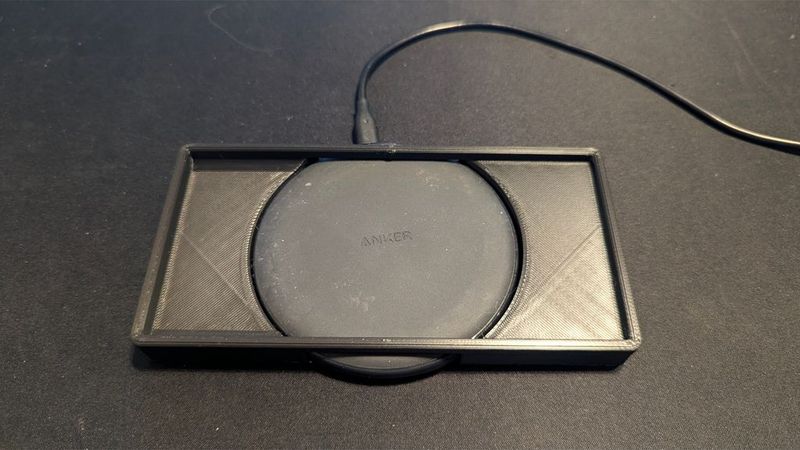
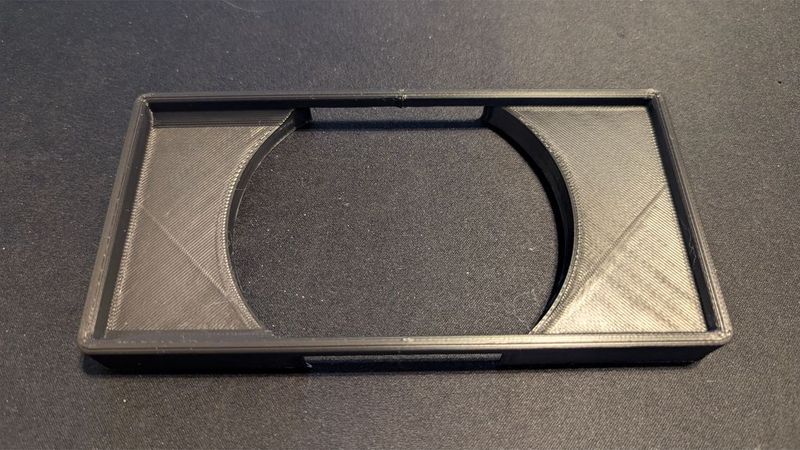
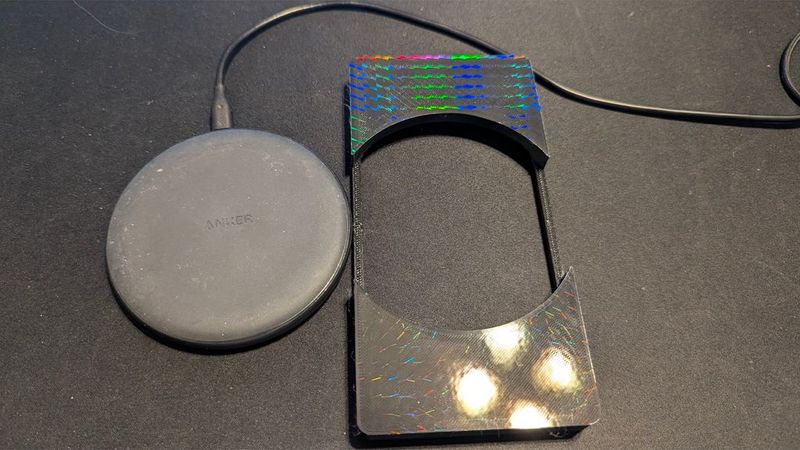
The included STL and fusion files are for a pixel 7 with an anker PowerWave Pad, but you can use the parametric OpenScad file to fit any phone and any Power pad.
using the parametric OpenSCAD file you can make this work for ANY Cell phone, In ANY case, with ANY round wireless charging pad. If you have a wierd phone that does not put the charging pad in the center, there is also an adjustment for the position as needed.
I was tired of accidentally placing my phone on the charging pad slightly misaligned and waking up to an almost dead phone. So I made this simple docking holder: one piece, easy to print, and it works perfectly to keep the phone lined up for the best charge rate. This should work with your phone, but I have included the .step file if you wish to adjust it with your CAD. I designed it with Fusion 360. The charger I have is a basic, economical one: the "PowerWave Pad" from Anker.
I AM ALSO INCLUDING AN OPENSCAD CUSTOMIZER FILE. See the file: --> Universal Phone Charging Puck Dock Customizable — OpenSCAD
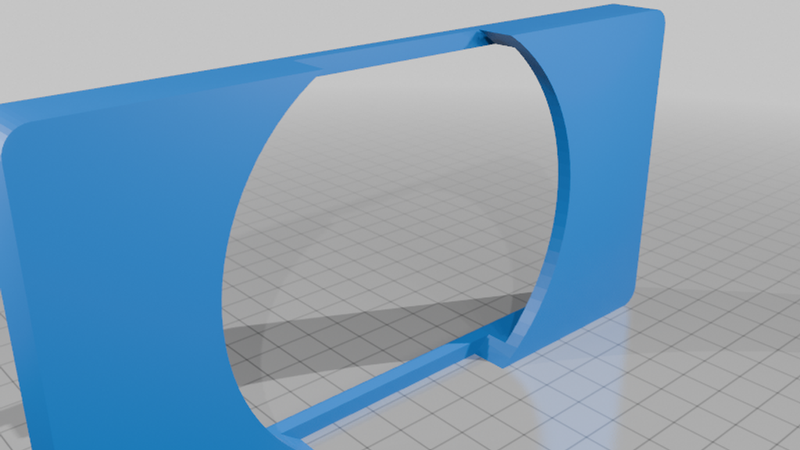
This is a customizable desktop phone dock designed to hold a smartphone on a flat surface while using a round wireless charging puck.
I originally designed the model for my phone and charging puck, but I converted it to parametric OpenSCAD so you can easily modify it to fit different phones, phone cases, and round charging pucks.
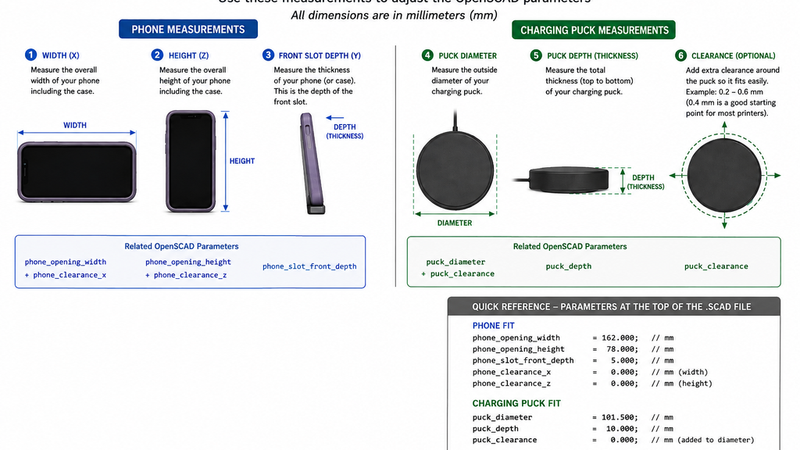
You do not need to know CAD to customize it. Simply measure your phone and charging puck (SEE DIAGRAM file attached), change a few numbers at the very top of the OpenSCAD file, render the model, and export your STL. If you can own and operate a 3d printer, you are smart enough to easily learn how to use the OpenSCAD files to create your exact phone docking station. I learned about OpenSCAD a few years ago, and am amazed at how simple the files are to use, without any programming skills.
HOW TO USE THE PARAMETRIC OPENSCAD FILE:
To open a .scad file, you need to use OpenSCAD, a free software (https://openscad.org/downloads.html ) that turns text code into 3D models. Download and install the program, open OpenSCAD, go to File > Open, and select your .scad file to view and edit the code or render the 3D shape into an .STL file
If you do not want to install the openscad software, you can drag and drop the .scad file into an online tool like the PrintNexus OpenSCAD Viewer to preview or export it to an STL file without installing software.
Dont worry, you dont need to use it to program, just have it installed on your computer.
Once you install OpenScad, you can then open the included .scad file. Look at the USER ADJUSTMENTS — CHANGE THESE FIRST section at the very top. Enter your phone and charging-puck measurements by replacing the that are listed
Press F5 to preview the model. Inspect the model to make sure everything looks correct. Press F6 to fully render the model.
Select File → Export → Export as STL. Open the STL in your preferred slicer and print it.
Once you open the openscad file, the adjustable phone and charging-puck parameters are located at the top of the file for easy access.
WHAT YOU NEED TO MEASURE
Use a ruler or, preferably, digital calipers. All dimensions in the OpenSCAD file are in millimeters (mm).
1. Phone Width:
Measure the phone's overall width, including the case if you plan to use the dock with the case installed.
Enter that value as: phone_opening_width
2. Phone Height;
Measure the phone's overall height, including the case if applicable.
Enter that value as: phone_opening_height
3. Phone Fit/Clearance :
The OpenSCAD file includes separate clearance settings:
phone_clearance_x , phone_clearance_z
(These add a small amount of extra room so the phone does not fit too tightly.) A small clearance is recommended for most 3D printers. The exact amount will depend on your printer, filament, and desired fit.
4. Charging Puck Diameter:
Measure the outside diameter of your round wireless charging puck.
Enter that measurement for: puck_diameter
For example, if your puck measures 92.0 mm: puck_diameter = 92.0;
5. Charging Puck Clearance:
Use: puck_clearance to add additional space around the charging puck.
For example: puck_diameter = 92.0; puck_clearance = 0.4; creates an opening approximately 92.4 mm in diameter.
This allows you to adjust the fit without changing the actual puck measurement.
6. Charging Puck Depth:
Measure the thickness/depth of the charging puck and adjust: puck_depth
This controls the depth of the puck opening.
Customizing the Model:
Important — Measure Your Phone With Its Case on. If you normally use a phone case, measure the phone with the case installed.
Cases can add several millimeters to a phone's dimensions, so dimensions taken from the phone manufacturer's specifications may produce a dock that is too tight.
Actual measurements are preferable to published phone dimensions.
Test the Fit Before a Long Print. 3D printers and filament materials have different dimensional tolerances.
If you are unsure about the fit, consider making a small test print or adding slightly more clearance rather than printing the complete dock with a very tight tolerance.
Advanced Settings
The OpenSCAD file also includes advanced settings that control the position of the phone and charging-puck openings.
Most users should leave these settings unchanged.
They are provided for people who want to further modify the design or accommodate unusual phone/charger combinations.
Printing
The model is intended to print as a single piece.
Recommended starting point:
Layer height: 0.20 mm
Infill: 15–25%
Walls/perimeters: 3 or more
Material: PLA, PETG, ABS, or similar
Supports: Print it flat with the puck opening down and use supports. Depending on printer orientation and your customized dimensions, check the slicer preview before printing.
Print settings are suggestions only. Adjust them for your printer and material.
included File = Universal_Phone_Charging_Puck_Dock_Customizable.scad
Share Your Settings with us, stating the measurements you used and the phone and charger pad that you made it for.
If you successfully customize the dock for another phone or charging puck, consider posting your measurements in a Make/Remix so other users with the same hardware can benefit.
Enjoy customizing it!