Wolfbox G900 (Pro) Mount for Fiat Ducato (NO MIRROR needed)

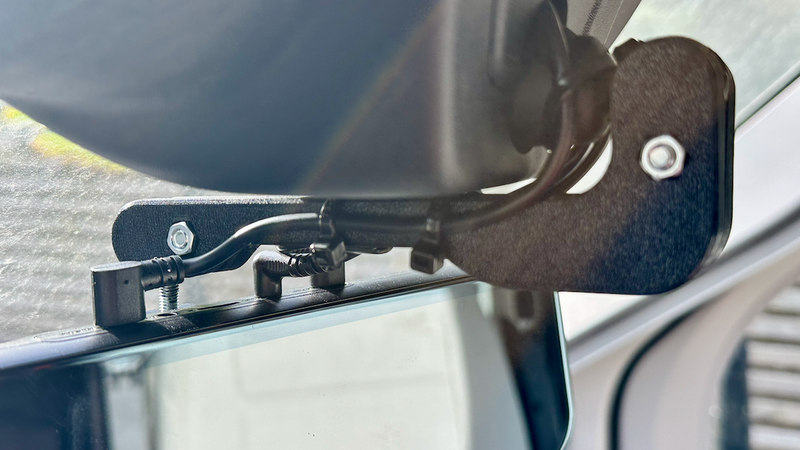
Description
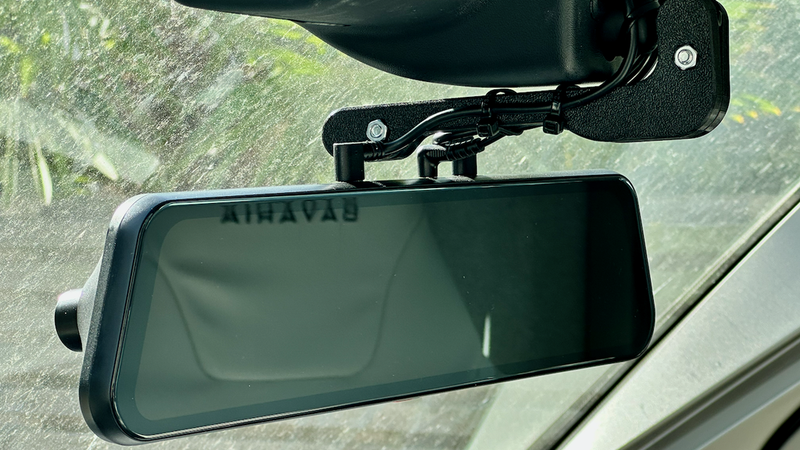
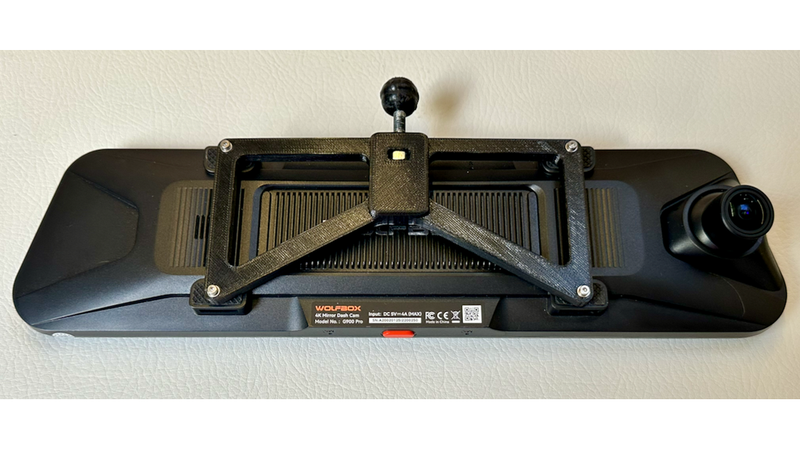
Replace your Fiat Ducato's stock rearview mirror with this custom mount to give your Wolfbox G900 a clear, unobstructed view of the road.
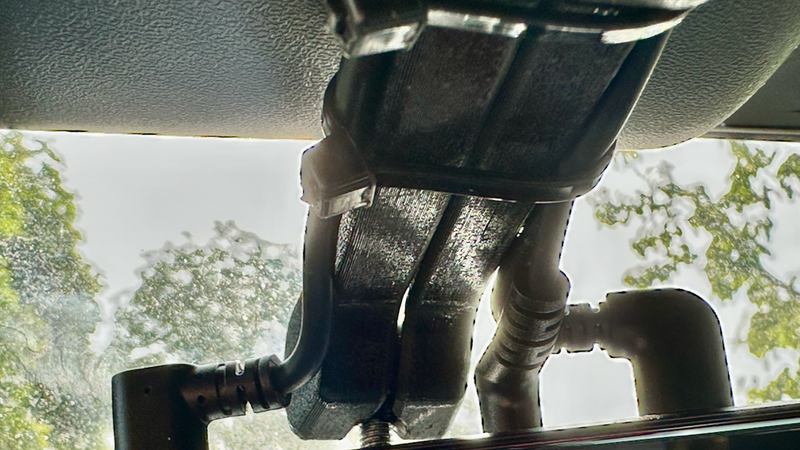
You can't attach the Wolfbox to the original mirror because the van's factory crash/lane detection housing blocks the camera's view. By removing the stock mirror and using this custom part on the existing ball joint, the dashcam will sit perfectly below the black sensor block.
* Hardware Required:
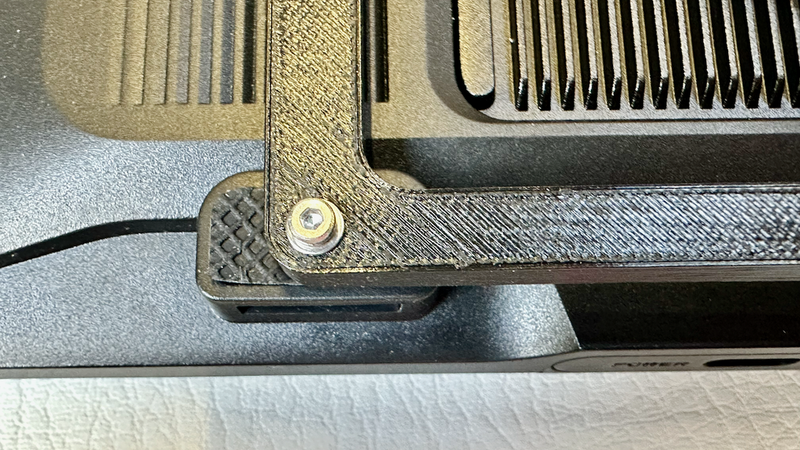
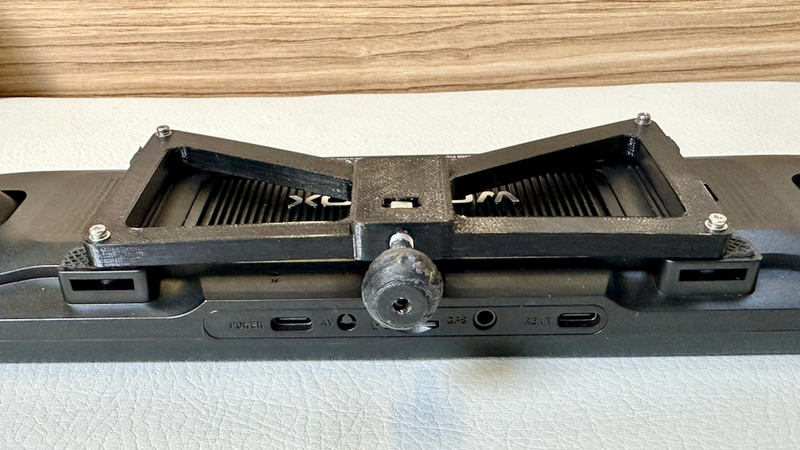
4x M2 16mm (or 20mm) bolts with washers (to attach the mount to the Wolfbox)
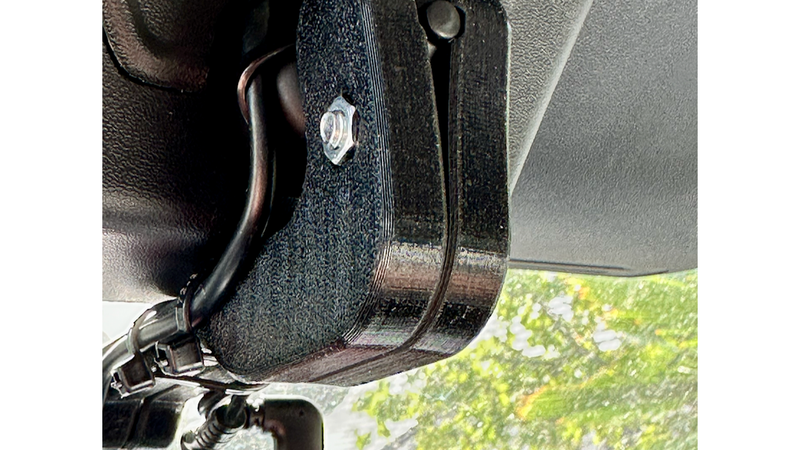
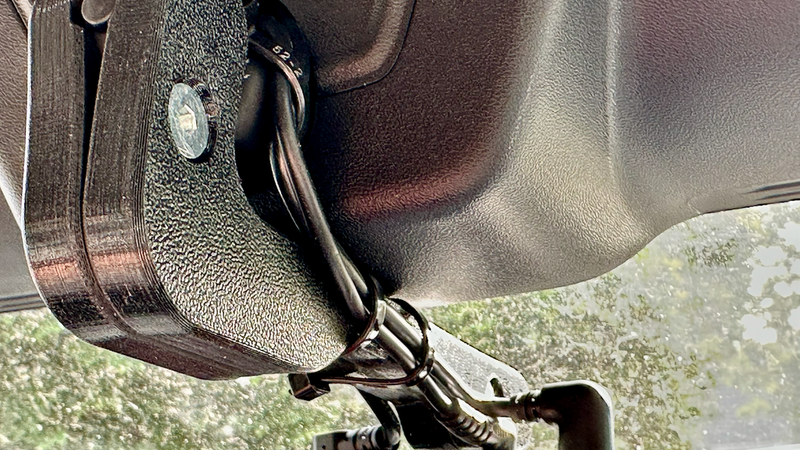
2x M5 20mm countersink bolts with nuts (to clamp the left/right halves together and tighten the joints)
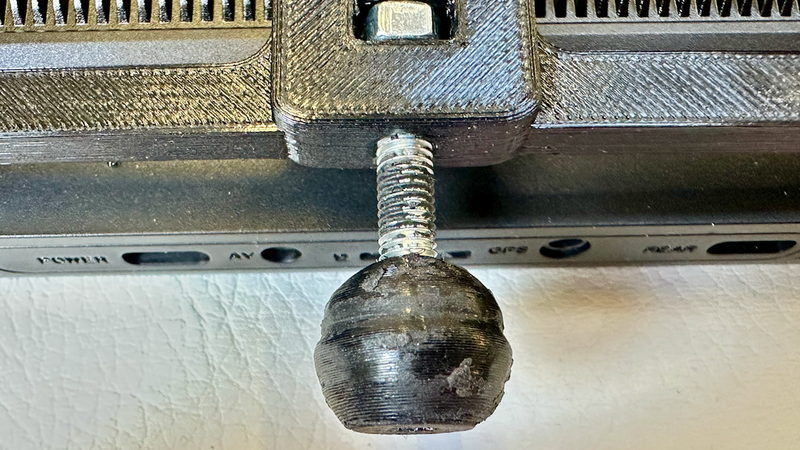
1x M5 40mm countersink bolt with nut (to attach the ball to the mount)
Leak repair spray (e.g., Flex Seal or similar rubberized spray)
* Print Settings:
The Mount: Print with the flat part down (duh!).
The Ball: Print with the countersink opening facing down.
Left & Right Parts: Print with the countersink and nut sides facing down.
Supports: You don't really need them, but you could add supports to the nut openings on the left part for a cleaner overhang.
* Assembly & Installation:
Remove the stock mirror: Just take off the metal spring clip at the rear of the Fiat Ducato mirror to release it.
Add friction: Coat the 3D-printed ball and the insides of the 4 sphere-halves with a layer of leak repair spray. Let it dry overnight. This makes the joints much more rigid so the camera doesn't sag.
Attach the mount to the Wolfbox: You can leave the original rubber feet on the Wolfbox—just poke a small hole through the middle of them. Secure the printed mount to the camera using the four M2 bolts and washers.
Final assembly: Use the M5 40mm bolt to attach the printed ball to the mount. Finally, use the two M5 20mm bolts to clamp the left and right halves around both the van's factory ball mount and your newly printed ball mount. Tighten until secure.