IKEA Skadis Bracket / Connector for Heavy-Duty Shelves (Parametric / OpenSCAD)

Description
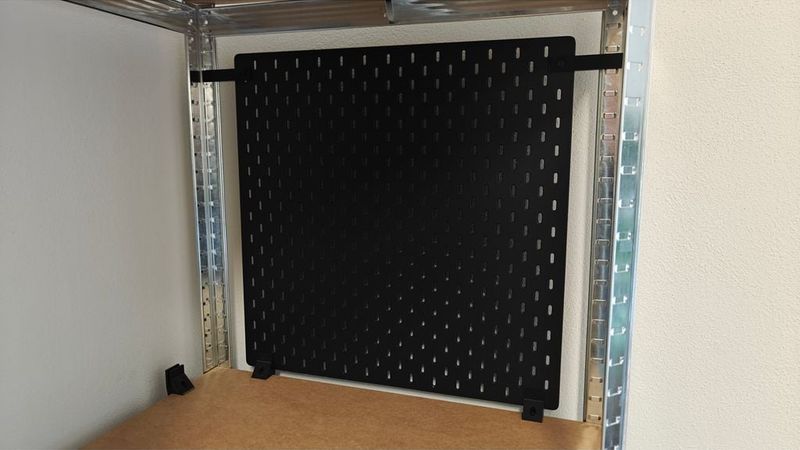
With these brackets, you can easily mount IKEA Skadis pegboards as practical side panels or backboards on standard heavy-duty shelves (e.g., corner shelving units). This is a great way to turn the unused space on the sides of your shelves into a functional tool wall.
The set consists of two different types of mounts:
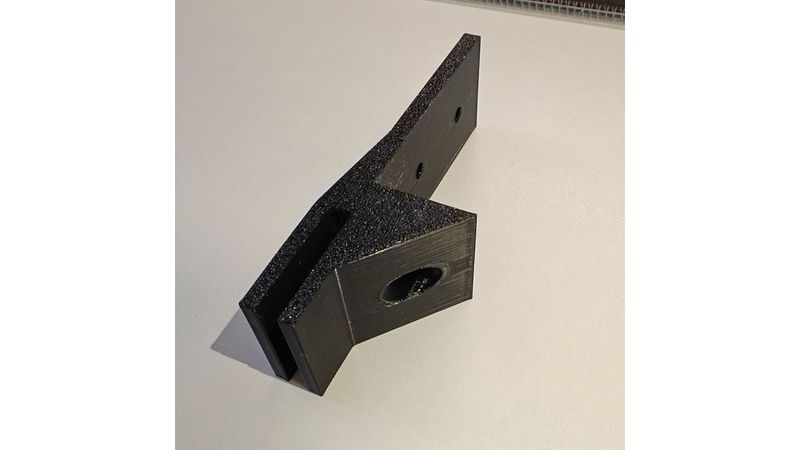
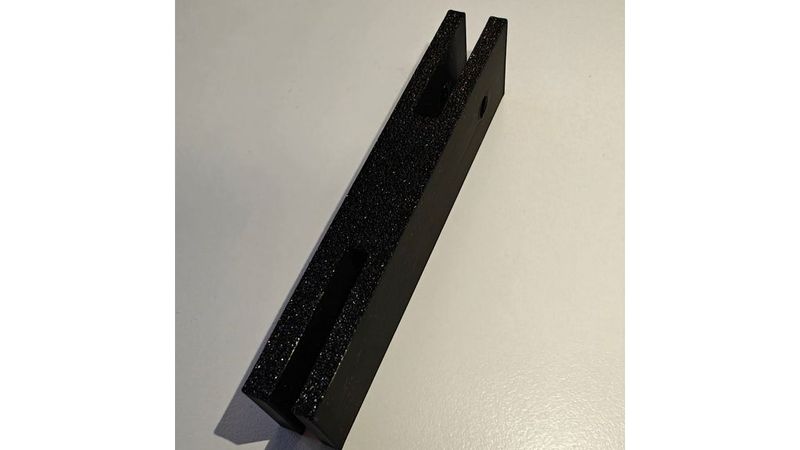
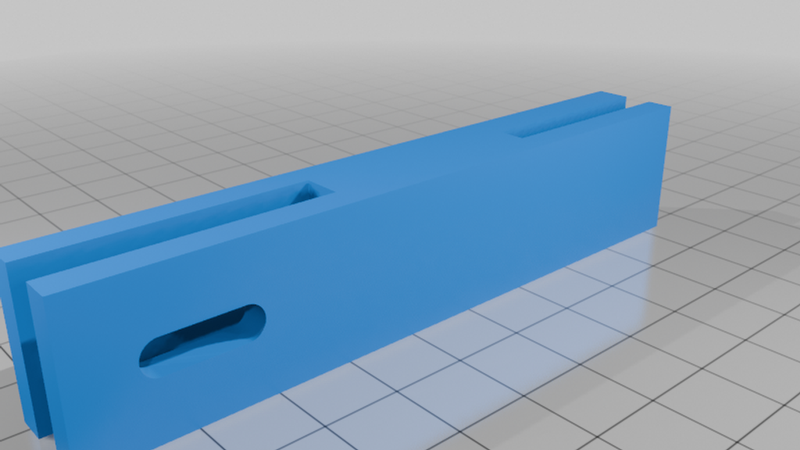
- Side Mounts: Attached to the top left and right edges of the Skadis board.
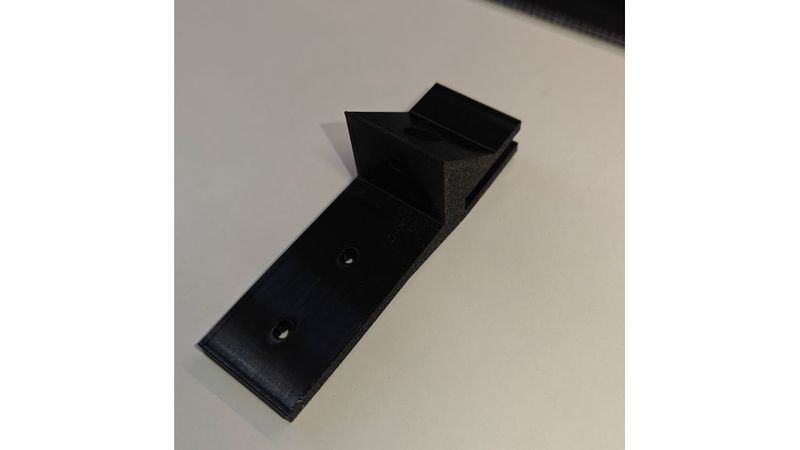
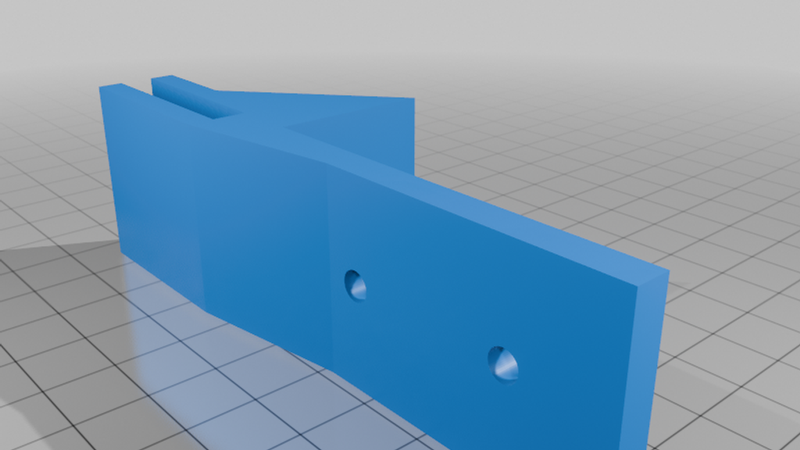
- Bottom Mounts: Attached to the bottom edge of the Skadis board (left and right) to support the weight and keep the board aligned.
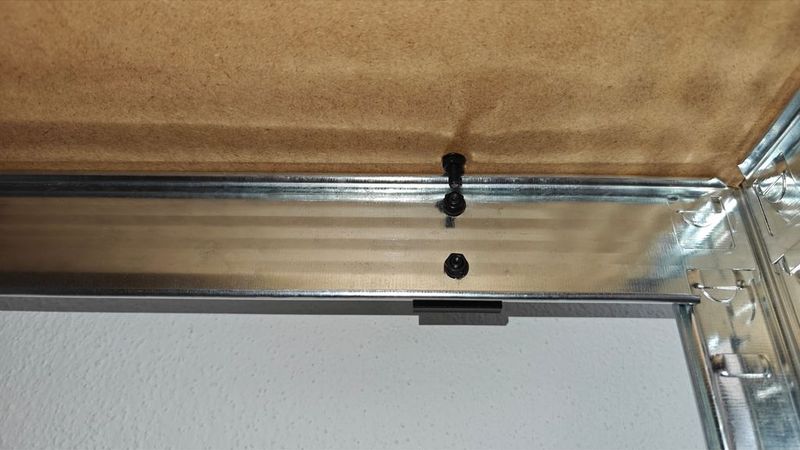
The brackets grip the frame of the heavy-duty shelf and the Skadis board. Depending on your specific shelf frame, they can either be clamped in place or securely screwed down.
Parametric / Customizable (OpenSCAD):
Since the metal profiles and sheet thicknesses of heavy-duty shelves vary greatly between manufacturers, I designed this model to be fully parametric using OpenSCAD. The `.scad` files are included! You can easily adjust all crucial dimensions (slot width, screw hole size, offsets, etc.) to perfectly fit your own shelf using the OpenSCAD Customizer.
Print Settings
These are the settings I used to get a strong and reliable print on my setup:
- Printer: Anycubic Kobra X
- Rafts: No
- Supports: No (The models are designed to print cleanly without any support material)
- Resolution: 0.20 mm
- Infill: 15% (Gyroid pattern for good structural stability)
- Perimeters (Wall Loops): 3
- Filament Material: PETG (Highly recommended for strength and flexibility under load; PLA might suffer from creep over time)
Post-Printing & Assembly
1. Slide the Skadis board into the slots of the printed brackets.
2. Position the board with the brackets attached onto the frame of your heavy-duty shelf.
3. Secure the mounts in place using M4 screws and washers through the provided holes, clamping them to the shelf frame and the Skadis board.
How I Designed This
The models were designed completely from scratch in OpenSCAD to make them easily adaptable for the community.
I included smart mathematical calculations directly in the code to ensure the geometry remains flawless even when you alter the base parameters:
- Bottom Mount: The script uses linear interpolation along the sloped plane to automatically calculate a perfectly flat, completely closed countersink for the washer. This guarantees a flush fit for the screw head, regardless of how you change the shelf dimensions.
- Side Mount: It utilizes a dynamically calculated slotted hole generated via a `hull()` operation between two cylinders to provide built-in tolerance for the M4 screws.
The parameters in the `.scad` files allow you to quickly customize:
- Thickness of the Skadis board (Default is 5.3 mm)
- Wall thickness of the brackets
- Diameter of the screw holes and washer countersinks
- Height, angle, and depth of the support arms
The design, sketches, and measurements are my own. The OpenSCAD code was written with the assistance of an AI (Gemini) acting as a coding co-pilot.