Sub250 OasisFly30 Caddx Ratel Micro 1500TVL Camera mount

Description
Disclaimer: I used AI for the markdown formatting, but it did not do anything else. I wrote and checked all the instructions myself.
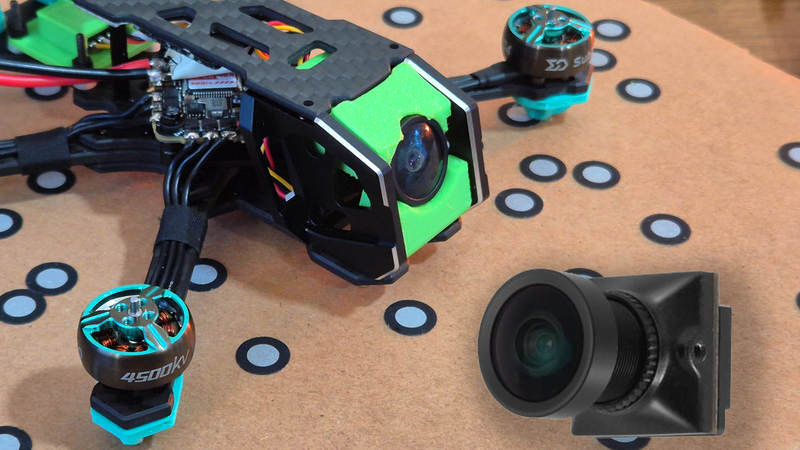
A mount for the Caddx Ratel Micro 1500TVL to fit the Sub250 OasisFly30.
The camera angle is fixed around 30 degrees.
What's required:
- 1x Cam_Bottom_Mount.stl
- 1x Cam_Top_Mount.stl
- 2x Washers.stl (I used nylon washers but provided 3D printed ones which should work just as well)
- 2x M2x8mm screws (I used the spare ones that came with the drone)
Install instructions:
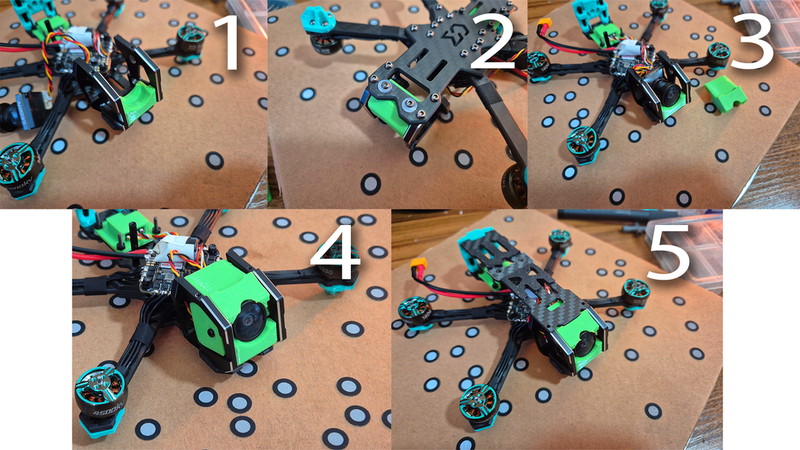
1. Check the guide (Photo 2) for a visual guide.
2. Remove the top plate.
3. Screw in the Cam_Bottom_Mount using the 2x M2x8mm screws.
- Use the washers so the screws don't slip through the holes (see photos for placement).
4. Place the camera in.
- Make sure the connectors on the back face the bottom of the drone. I recommend plugging in the wire now.
5. Snap the Cam_Top_Mount on top of the camera.
- Make sure the camera hasn't rotated, or else the top won't fit.
6. Reinstall the top plate.