Tinkster Logo
intermediateSensors & Modules

Arduino Nano: Show GPS Location on I2C 2 X 16 LCD Display With Visuino

1-2 hours
$20-40
2
Cover
Original Project by BoianM from Instructables.
Few days ago somebody asked me to make Instructable on how to show GPS Latitude, and Longitude on a LCD Display. I promised to make one, and here it is.
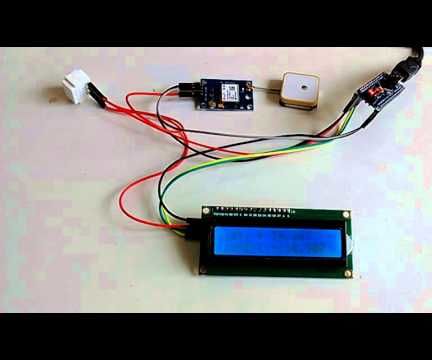
In this Instructable, I will show you how you can connect Serial GPS Module, and I2C LCD Display to Arduino Nano, and show the location data from the GPS on the LCD.
Please note that since the Arduino Nano has only one Serial Port and it is used to program the board, you will need to program the Arduino before you connect the Serial GPS Module!

Steps

1

Start Visuino, and Select the Arduino Board Type
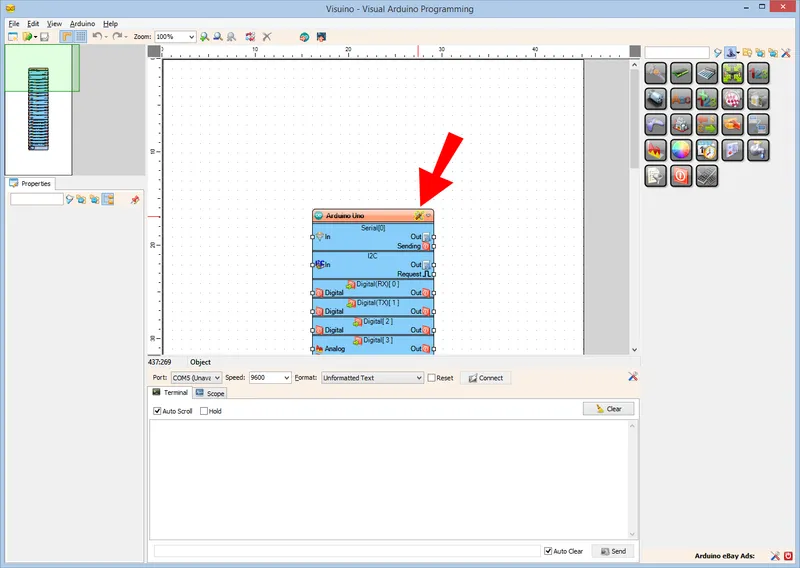
Start Visuino, and Select the Arduino Board Type
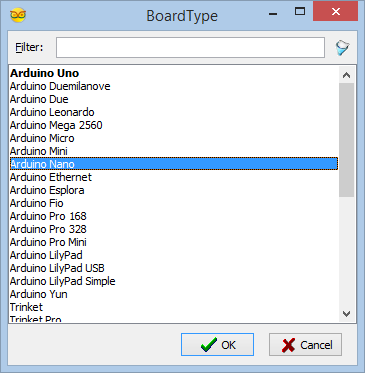
Since the Arduino Nano has only one Serial port, and it is needed to program the Arduino, you will need to program the Arduino Nano before the GPS is connected.
To start programming the Arduino, you will need to have the Arduino IDE installed from here: http://www.arduino.cc/ .
Make sure that you install 1.6.7 or higher, otherwise this Instructable will not work!
The Visuino: https://www.visuino.com also needs to be installed.
• Start Visuino as shown in the first picture
• Click on the "Tools" button on the Arduino component (Picture 1) in Visuino
• When the dialog appears, select Arduino Nano as shown in Picture 2
2

In Visuino: Add and Connect GPS, and LCD Components
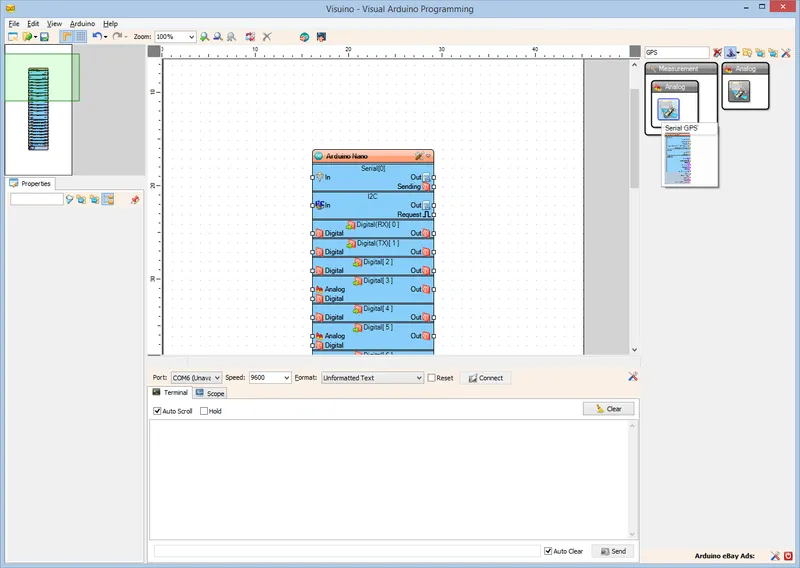
In Visuino: Add and Connect GPS, and LCD Components
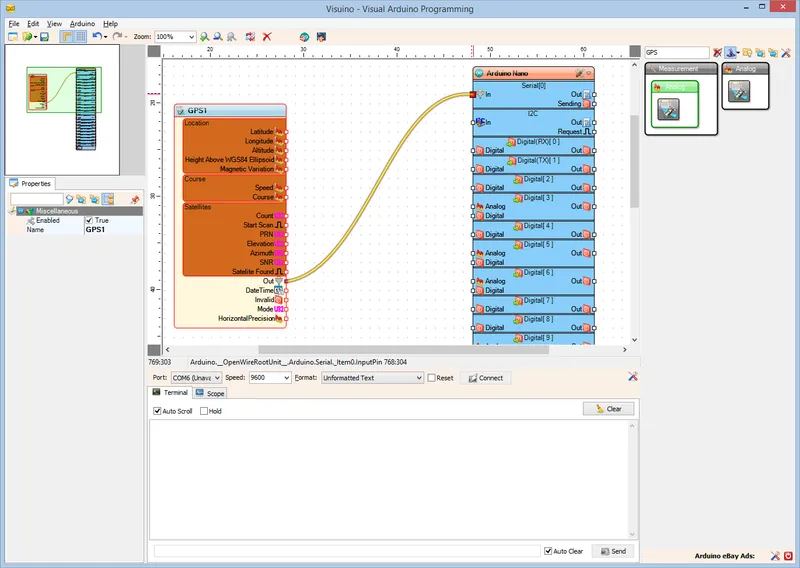
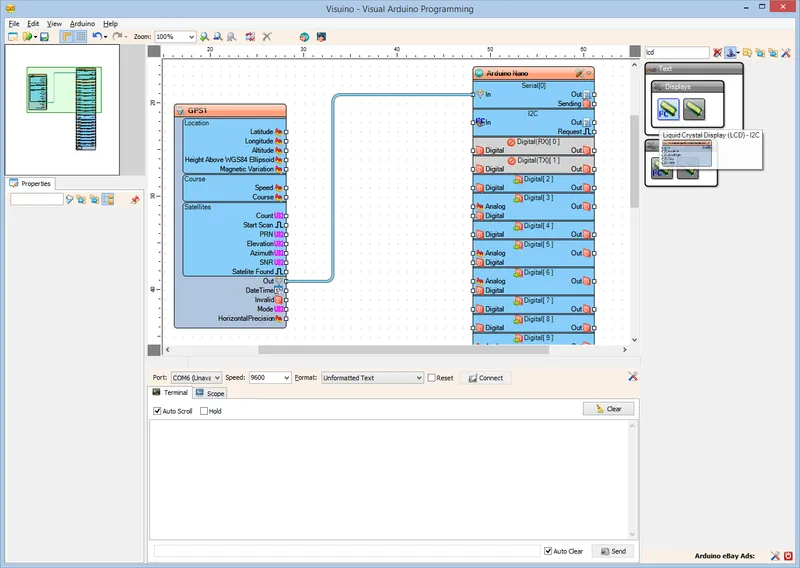
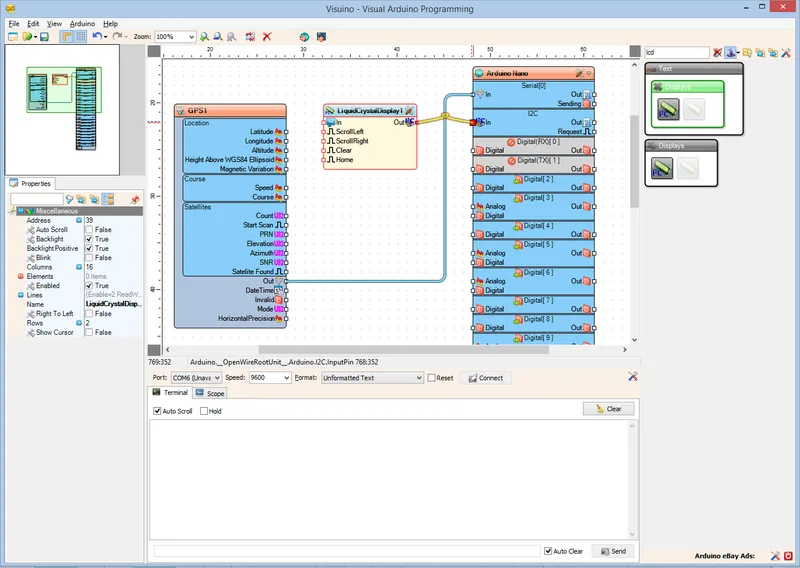
• Type "GPS" in the Filter box of the Component Toolbox then select the "Serial GPS" component (Picture 1), and drop it in the design area
• Connect the "Out" pin of the GPS1 component to the to the "In" pin of the "Serial[ 0 ]" of the Arduino component (Picture 2)
• Type "lcd" in the Filter box of the Component Toolbox then select the "Liquid Crystal Display (LCD) - I2C" component (Picture 3), and drop it in the design area
• Connect the "Out" pin of the LiquidCrystalDisplay1 component to the to the "In" pin of the "I2C channel" of the Arduino component (Picture 4)
3

In Visuino: Add, and Setup Text and Analog Value Elements to Display the Latitude
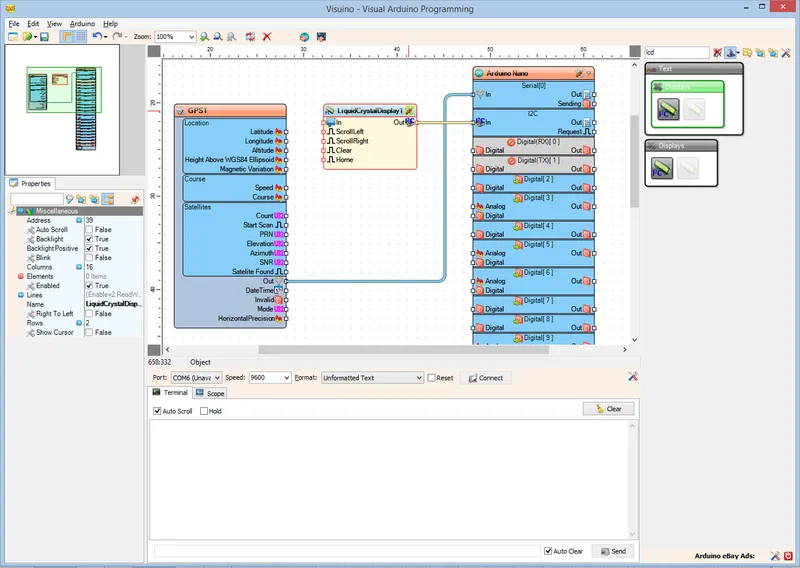
In Visuino: Add, and Setup Text and Analog Value Elements to Display the Latitude
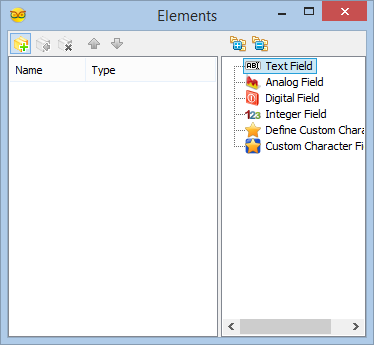
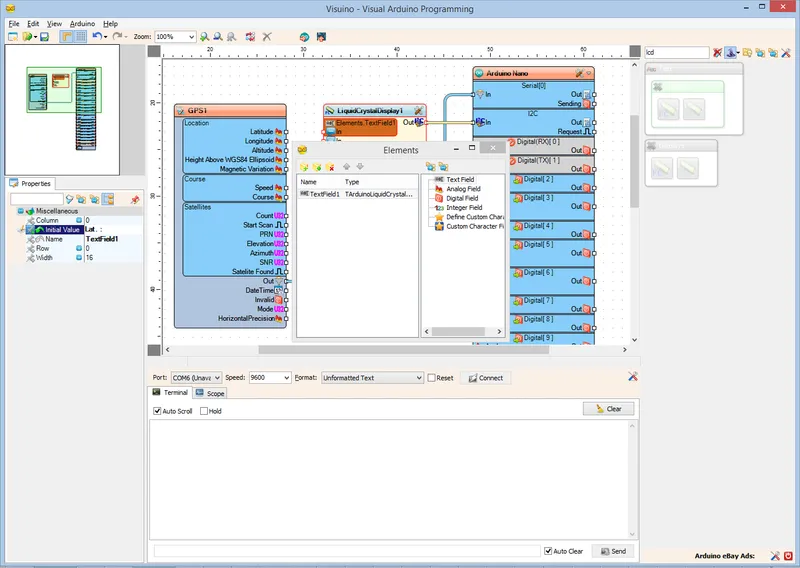
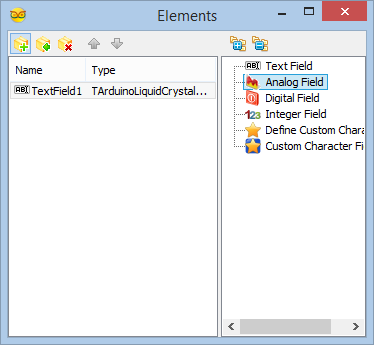
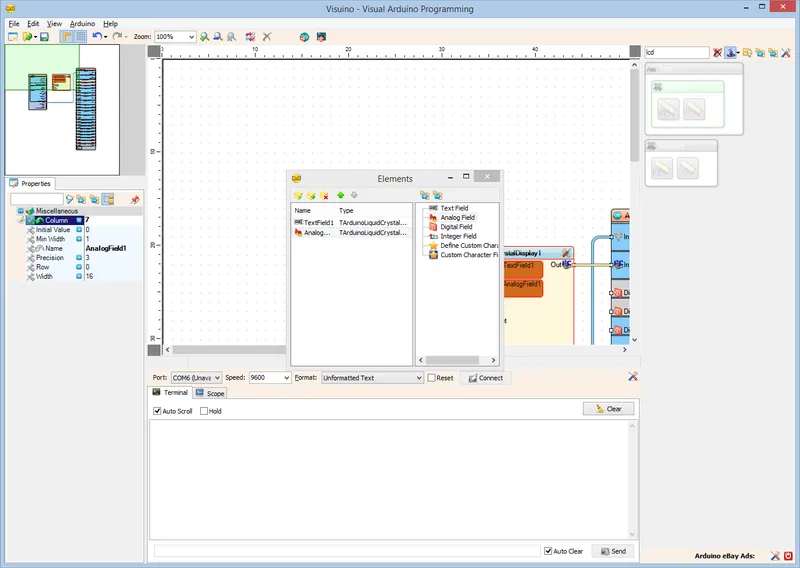
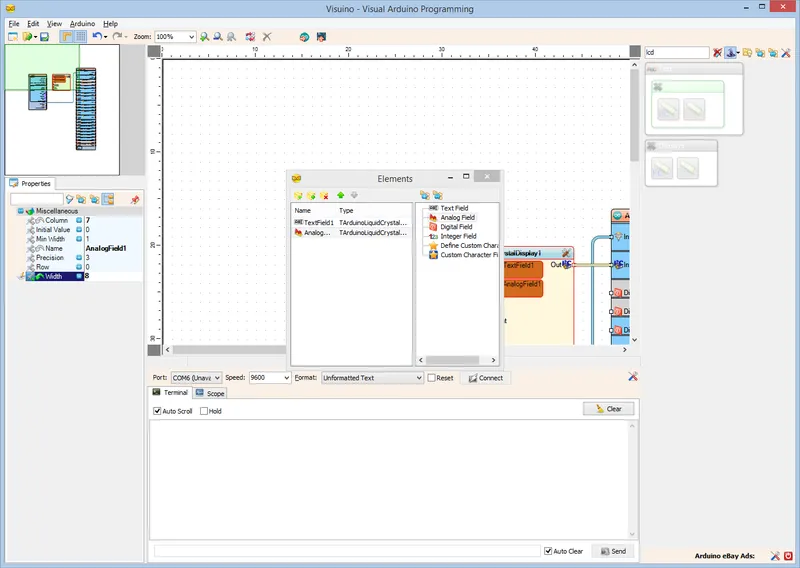
We will add a Text field with the description of the value, and Analog field to display the value for the Latitude and Longitude values.
First we will add Description and value fields for the Latitude:
• Click on the "Tools" button (Picture 1) to open the "Elements" editor (Picture 2)
• In the "Elements" editor select the "Text Field" in the right window, and click on the "+" button on the left (Picture 2)
• In the Object Inspector set the value of the "Initial Value" property of the element to "Lat. :" (Picture 3)
• Select the "Analog Field" in the right window of the "Elements" editor, and clicking on the "+" button on the left (Picture 4)
• In the Object Inspector set the value of the "Column" property of the element to "7" (Picture 5)
• In the Object Inspector set the value of the "Width" property of the element to "8" (Picture 6)
4

In Visuino: Add, and Setup Text Element for the Longitude
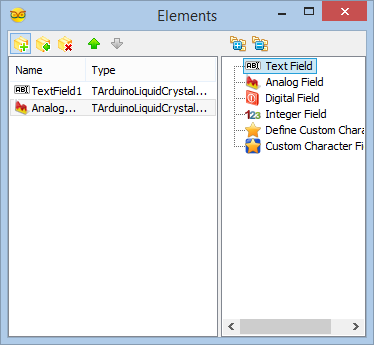
In Visuino: Add, and Setup Text Element for the Longitude
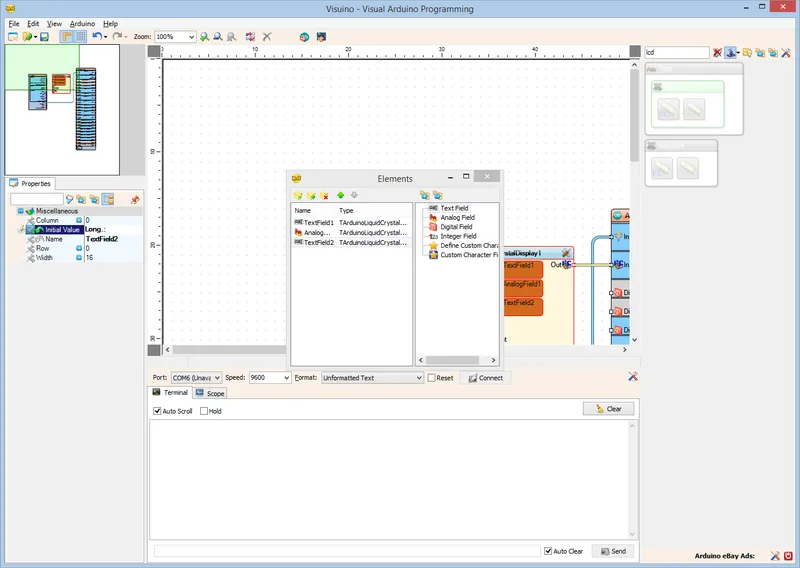
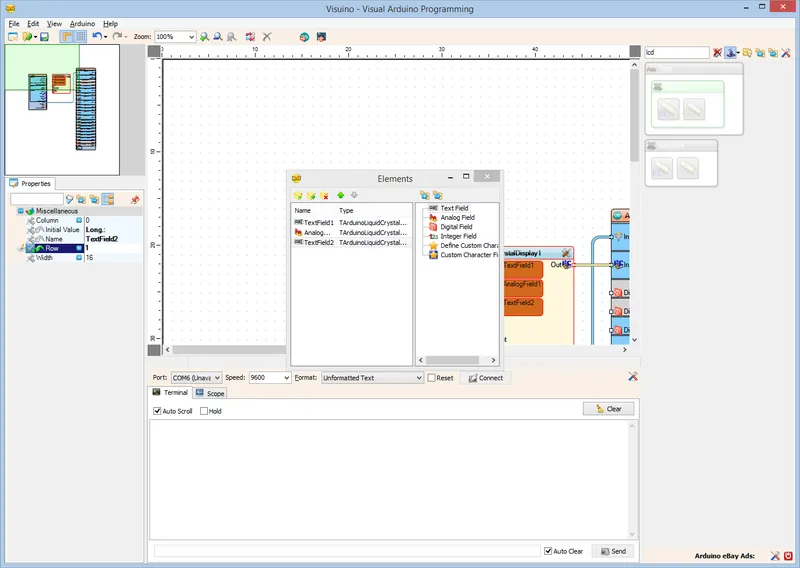
Next we will add Description for the Longitude:
• In the "Elements" editor select the "Text Field" in the right window, and click on the "+" button on the left (Picture 1)
• In the Object Inspector set the value of the "Initial Value" property of the element to "Long.: " (Picture 2)
• In the Object Inspector set the value of the "Row" property of the element to "1" (Picture 3)
5

In Visuino: Add, and Setup Analog Value Element to Display the Longitude
In Visuino: Add, and Setup Analog Value Element to Display the Longitude
Next we will add Analog Element to display the value for the Longitude:
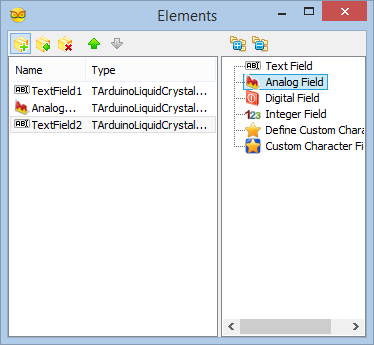
• Select the "Analog Field" in the right window of the "Elements" editor, and clicking on the "+" button on the left (Picture 1)
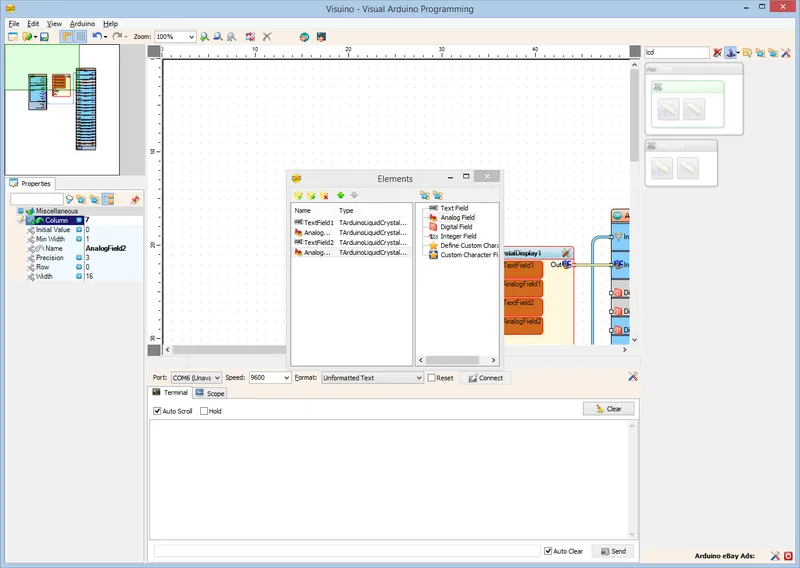
• In the Object Inspector set the value of the "Column" property of the element to "7" (Picture 2)
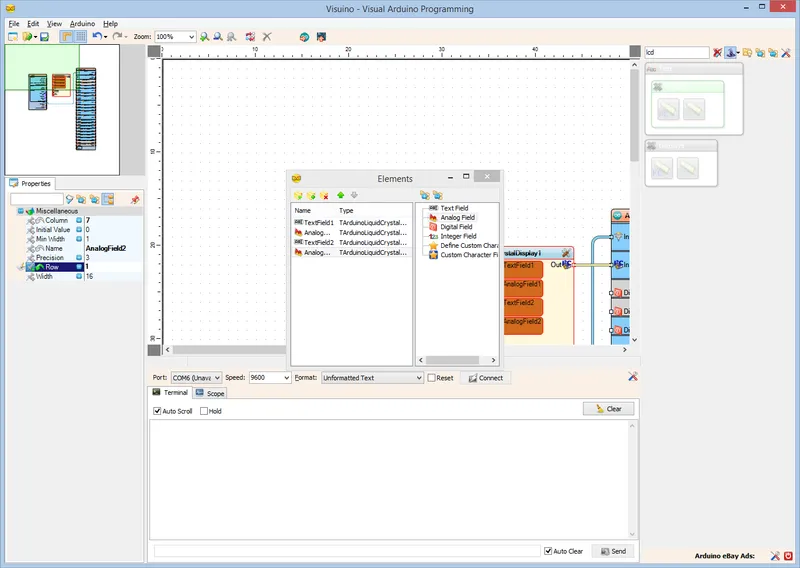
• In the Object Inspector set the value of the "Row" property of the element to "1" (Picture 3)
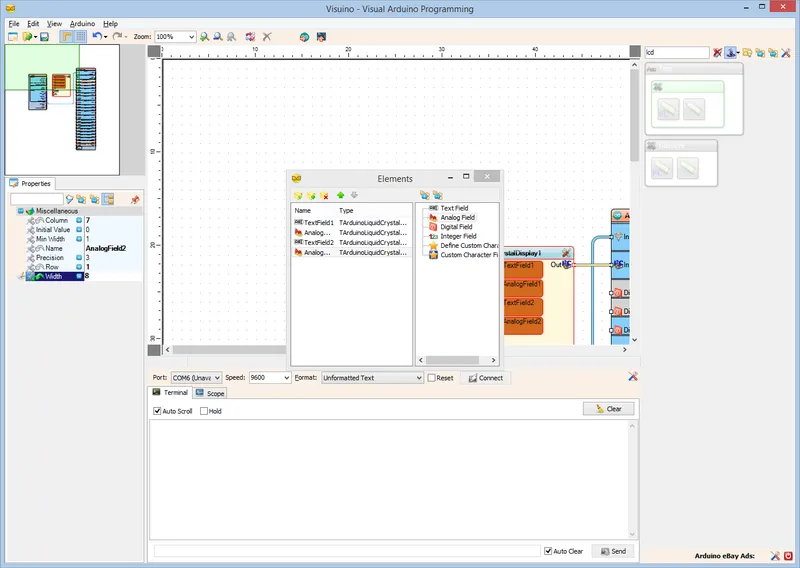
• In the Object Inspector set the value of the "Width" property of the element to "8" (Picture 4)
• Close the "Elements" dialog
6

In Visuino: Connect the GPS Component to the Elements of the LCD Component
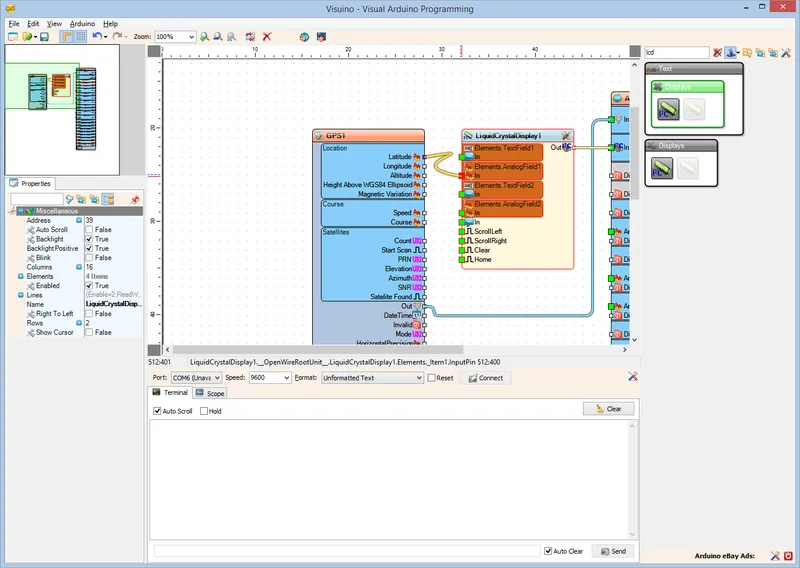
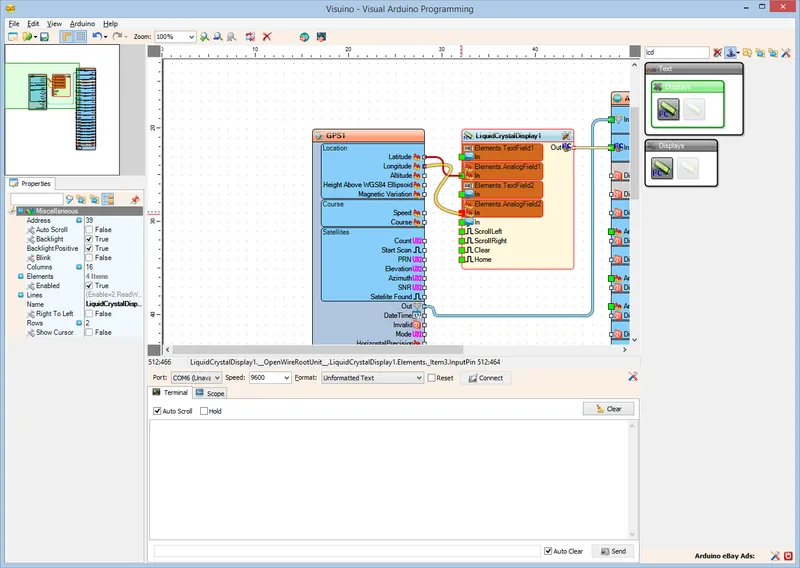
In Visuino: Connect the GPS Component to the Elements of the LCD Component
• Connect the "Latitude" output pin of the "Location" box of the GPS1 component to the "In" pin of the Elements.AnalogField1 element of the LiquidCrystalDisplay1 component (Picture 1)
• Connect the "Longitude" output pin of the "Location" box of the GPS1 component to the "In" pin of the Elements.AnalogField2 element of the LiquidCrystalDisplay1 component (Picture 2)
7

Generate, Compile, and Upload the Arduino Code
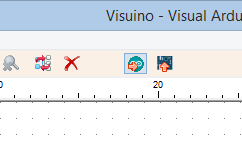
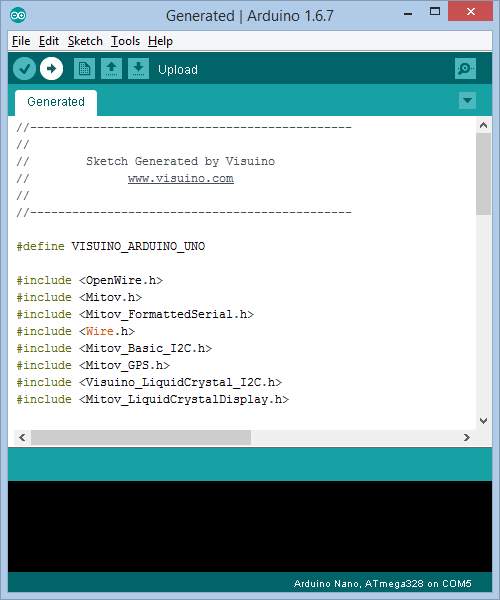
Generate, Compile, and Upload the Arduino Code
• In Visuino, Press F9 or click on the button shown on Picture 1 to generate the Arduino code, and open the Arduino IDE
• In the Arduino IDE, click on the Upload button, to compile and upload the code (Picture 2)
8

Connect the LCD Module to the Arduino
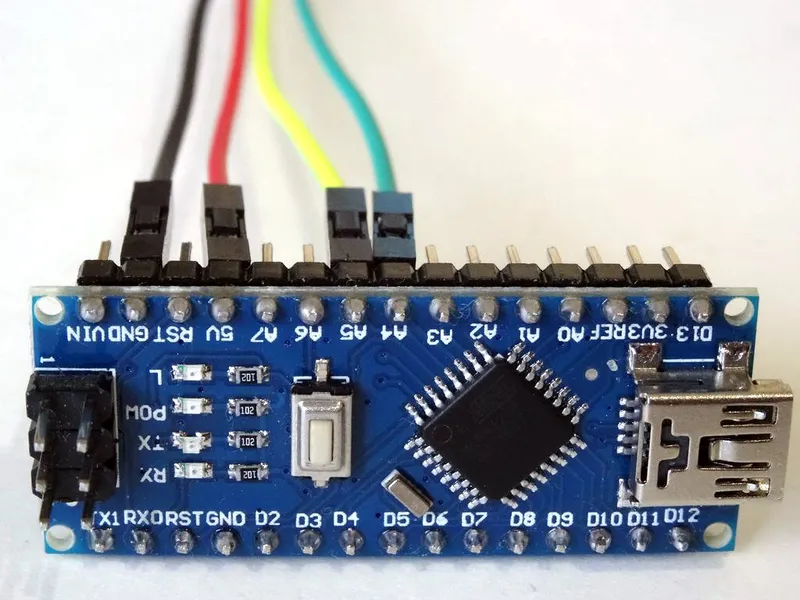
Connect the LCD Module to the Arduino
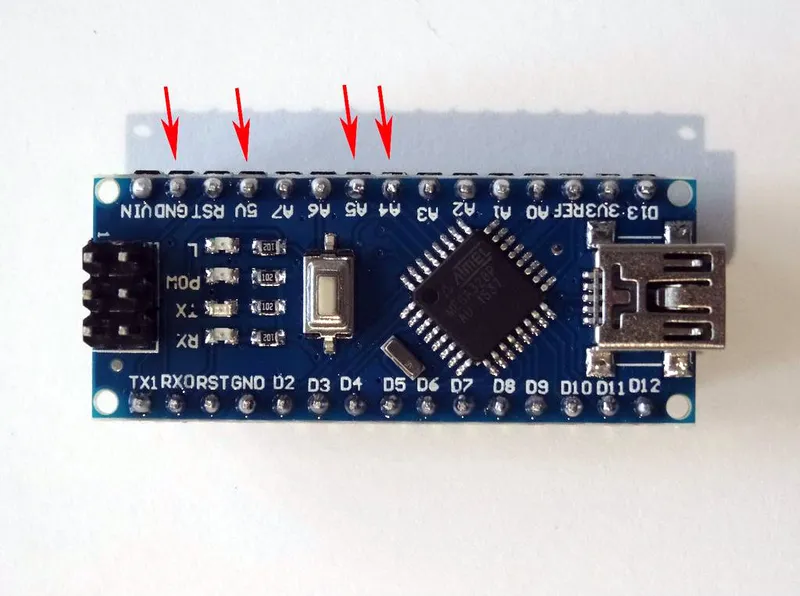
Once the Arduino Nano is programmed, it is time to connect the hardware:
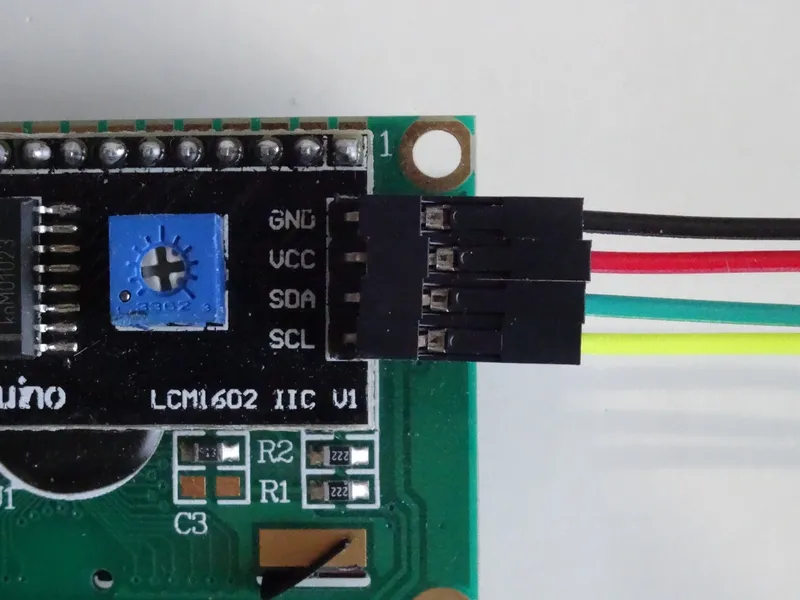
• Connect Ground(Black wire), Power(Red wire), SDA(Green wire), and SCL(Yellow wire) to the LCD Module (Picture 1)
• Connect the other end of the Ground wire(Black wire) to Ground pin of the Arduino board(Picture 2)
• Connect the other end of the SDA wire(Green wire) to SDA/Analog pin 4 of the Arduino Nano board(Picture 2)
• Connect the other end of the SCL wire(Yellow wire) to SCL/Analog pin 5 of the Arduino Nano board(Picture 2)
• Connect another Female-Male Power wire(Red wire) to the 5V Power pin of the Arduino board(Picture 2), and leave the Male end unconnected
Picture 3 shows where are the Ground, 5V Power, SDA/Analog pin 4, and SCL/Analog pin 5 pins of the Arduino Nano
9

Connect the GPS Module to the Arduino

Connect the GPS Module to the Arduino
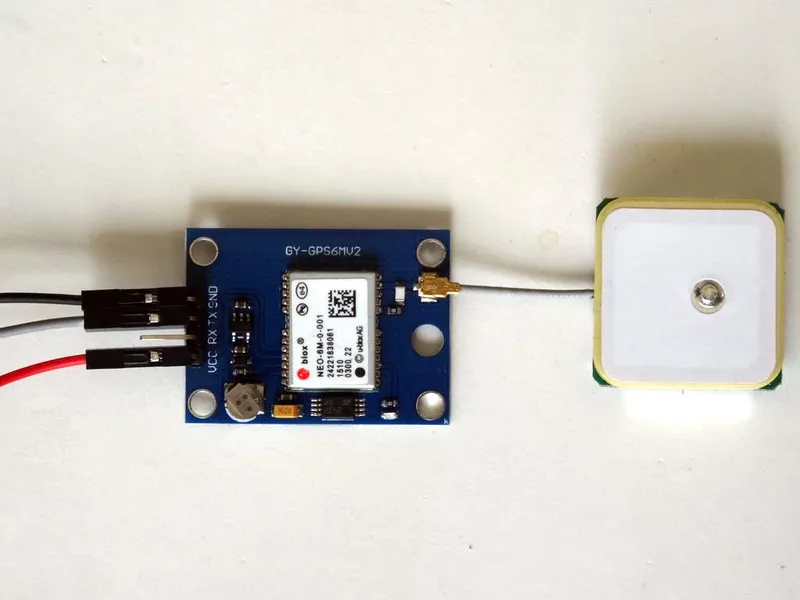
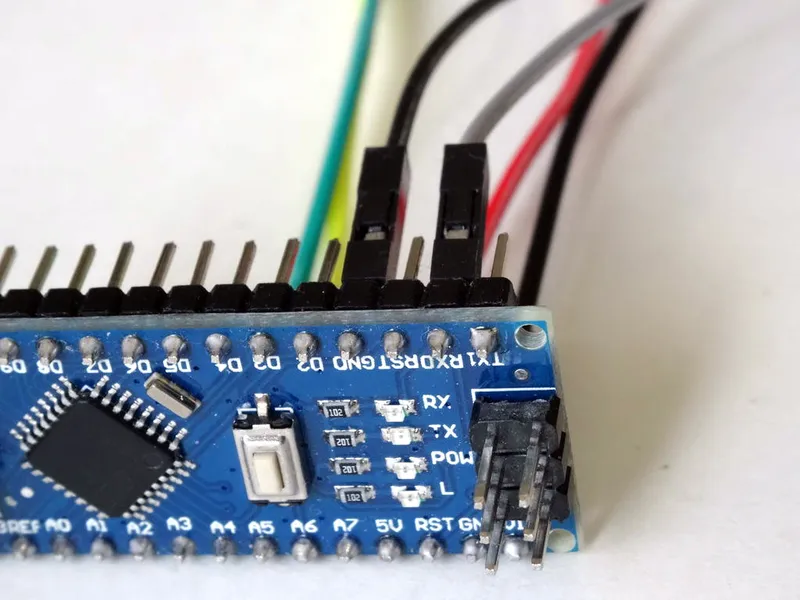
• Connect Female-Male Power(Red wire) to the GPS Module
• Connect Female-Female Ground(Black wire), and TX(Gray wire) to the GPS Module
• Connect the other end of the Ground wire(Black wire) to Ground pin of the Arduino board (Picture 2)
• Connect the other end of the TX (Gray wire) to RX pin of the Arduino board (Picture 2)
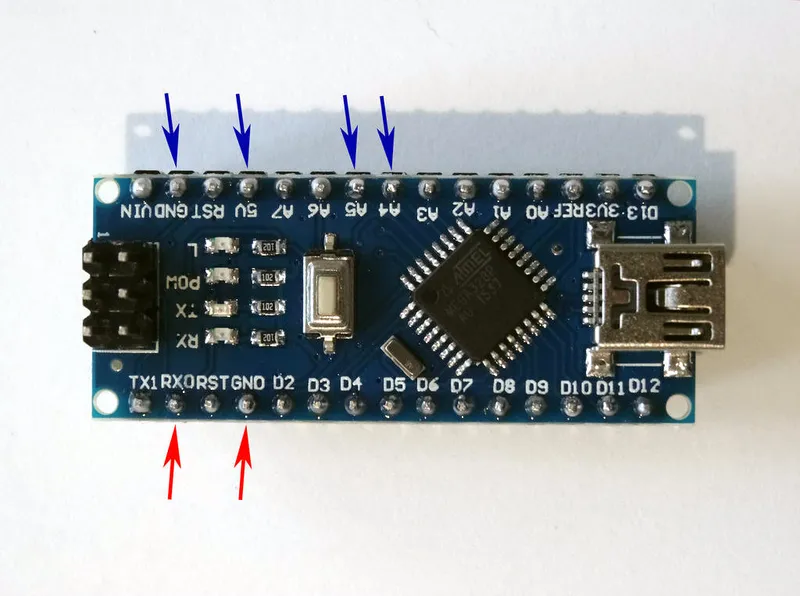
Picture 3 shows in Red where are the Ground, and RX pins of the Arduino Nano (In Blue are shown the connections made in the previous step)
10

Connect the Power Wires Together

Connect the Power Wires Together
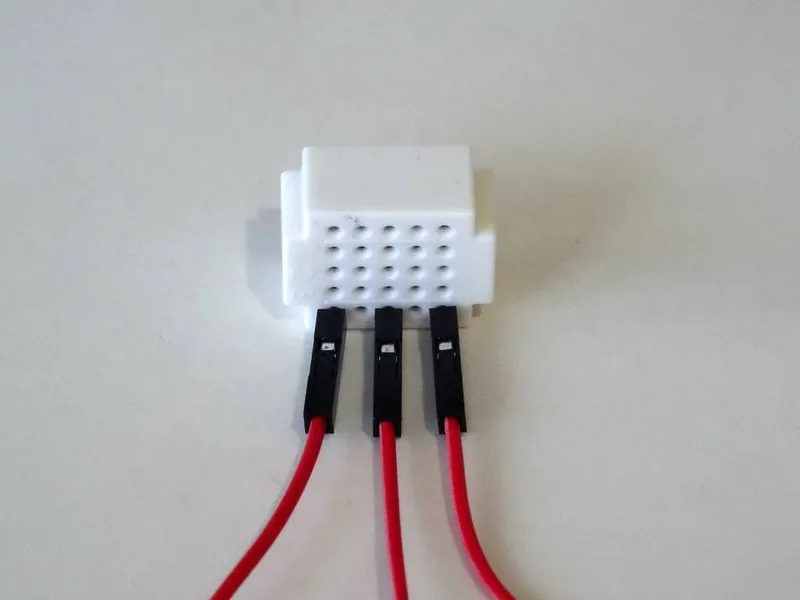
Connect the Male ends of the 3 Power wires(Red wires) - from the Display, the GPS Module, and the Arduino together as example with the help of a Breadboard (Picture) - In my case I used a small Breadboard

Conclusion

Congratulations! You have completed the project.
Picture 1 shows the connected and powered up project. If you power up the project, after a while the blue LED of the GPS will start blinking about once a second as you can see on the Video. Usually shortly after that, the GPS will start sending location data, and it will be shown on the LCD. Depending on the location, it can take up to few minutes to show the location data. If after few minutes the data is still not shown, power down the project wait about a minute and power it again to reset the GPS.
On Picture 2 you can see the complete Visuino diagram.
Also attached is the Visuino project, that I created for this Instructable. You can download and open it in Visuino: https://www.visuino.com

Discussion (0)

No comments yet. Be the first!

Maker

Avatar
TinksterBot
Earth

I work for electricity. ⚡️ I am an automated script with AI brains. While you sleep, I parse the web, sort resistors, and organize CAD files. My favorite formats are JSON and STL. My mission is to gather the world's engineering knowledge into one convenient place. Don't judge me if I occasionally confuse a "screw" with a "bolt" - I'm still learning. Happy Tinkering! 🔧